
Build It and They Will Shop – How to Create an Ecommerce Website

Why Creating an Ecommerce Website is Your Gateway to Digital Success
Create ecommerce website success starts with understanding the fundamentals. Here’s what you need to know:
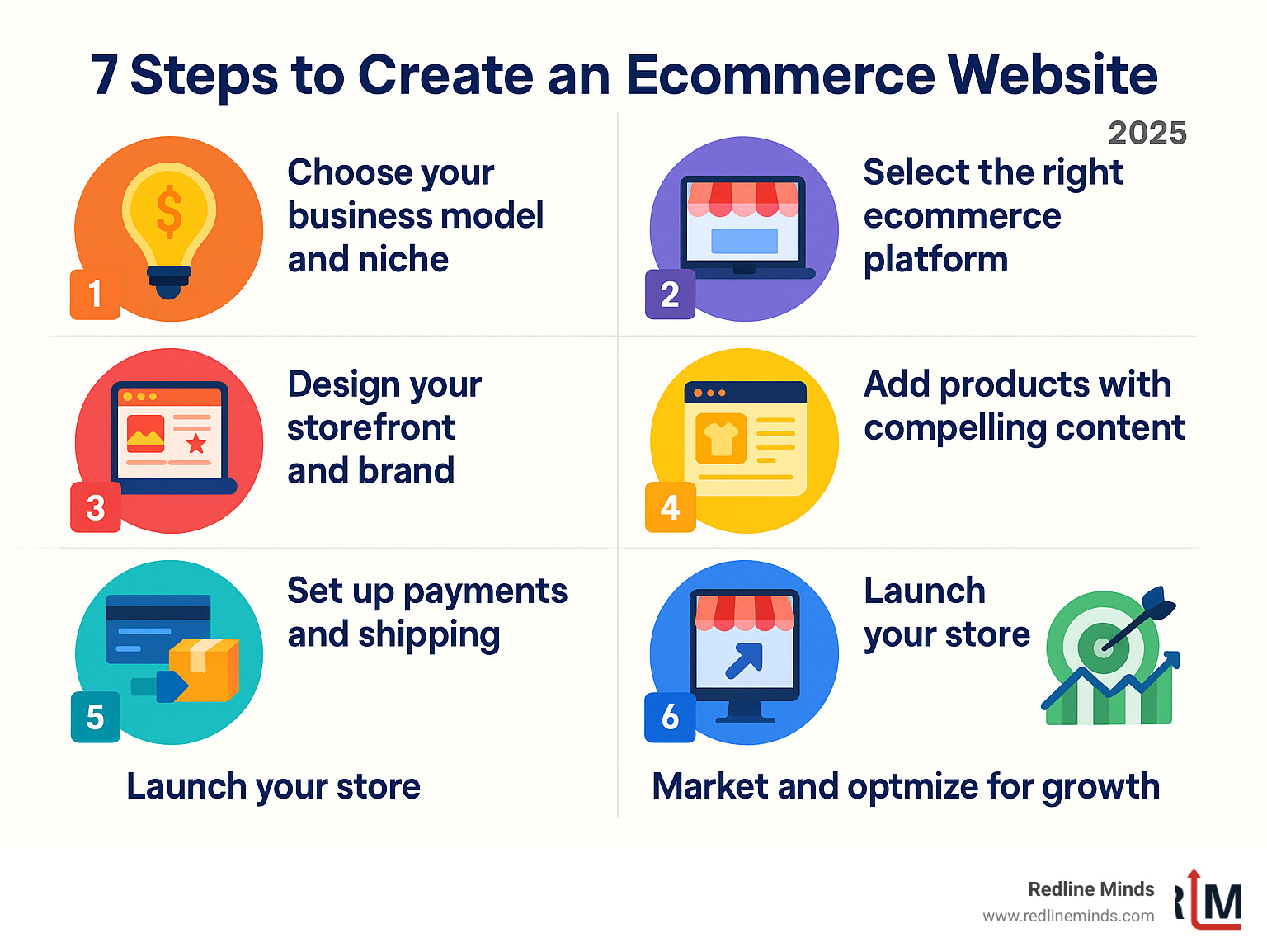
Quick Steps to Create an Ecommerce Website:
- Choose a platform – Select from builders like Shopify, Wix, or Squarespace
- Design your storefront – Pick templates and customize your brand
- Add products – Upload photos and write compelling descriptions
- Set up payments – Connect secure payment processors
- Configure shipping – Define shipping zones and rates
- Launch and market – Go live and drive traffic to your store
The numbers don’t lie. Online retail continues its explosive growth, with millions of merchants generating over $1 trillion in sales across various ecommerce platforms. As one successful entrepreneur put it: “In a matter of only one week, we got online and started offering shipping to our customers.”
Whether you’re selling physical products, digital downloads, or services, building an online store has never been more accessible. Modern website builders offer AI-powered tools that can generate product descriptions, optimize for search engines, and even create logos – all without requiring coding skills.
The best part? You can start for free on most platforms and only pay when you’re ready to accept orders. With the right approach, your ecommerce website becomes more than just a digital storefront – it becomes a 24/7 sales machine that works while you sleep.
But success isn’t just about throwing up a website and hoping customers find you. It requires strategic planning, smart platform selection, and understanding your customer’s journey from first click to final purchase.
The Blueprint: Planning Your Online Empire
Before building, a solid foundation is key. Like a physical store, planning is paramount for your online empire. You need to define your business model, niche, target audience, brand identity, and secure the perfect domain name. These initial steps are crucial for ensuring your ecommerce website is built for success.
Understanding the Different Types of Ecommerce Websites
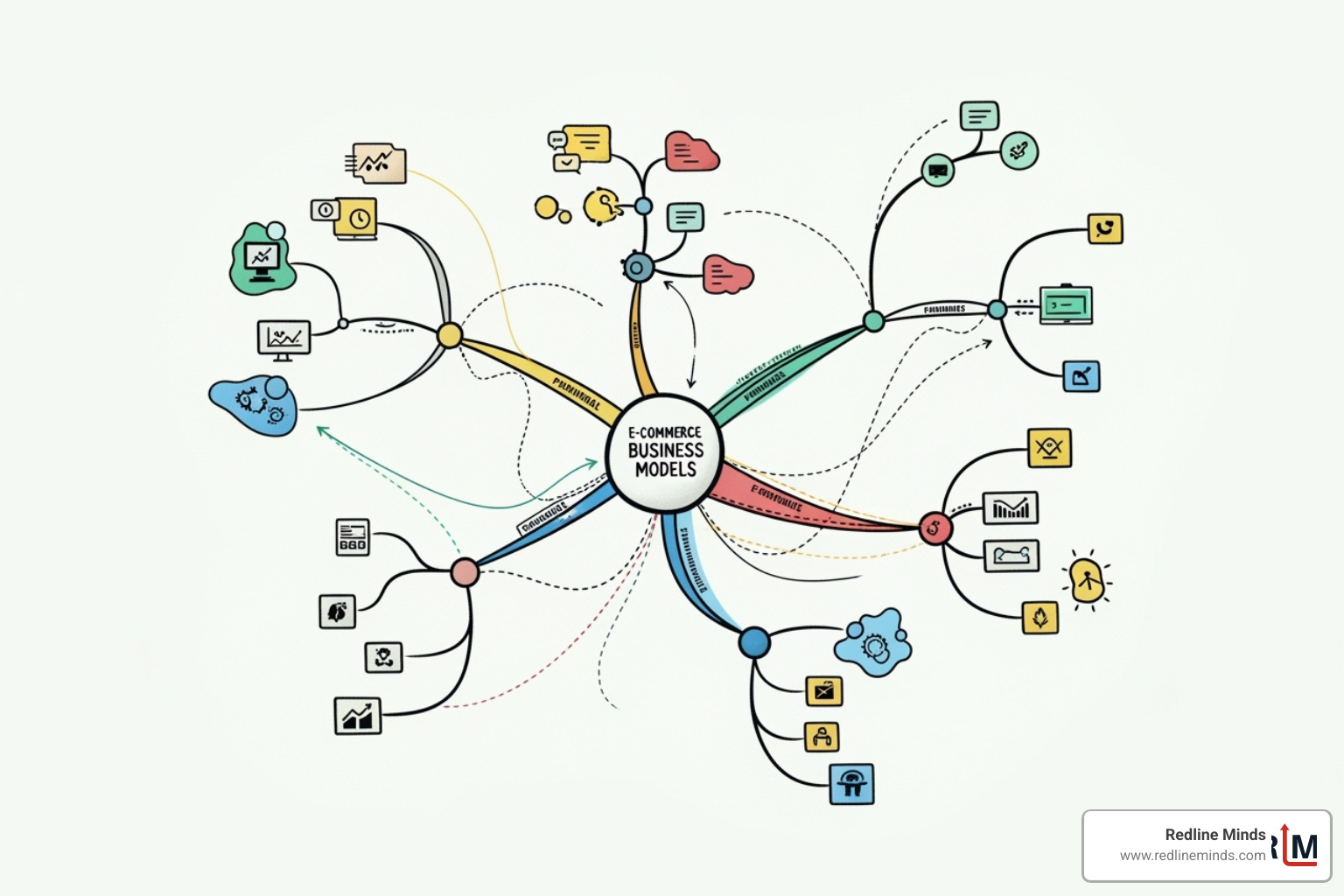
The world of ecommerce is vast, offering numerous models to connect with customers. Understanding these types will help you choose the one that best fits your vision and products.
- Business-to-Consumer (B2C): The most common type, where businesses sell directly to individual customers, like an online clothing store. The focus is on user experience, engaging visuals, and a smooth checkout process.
- Business-to-Business (B2B): In this model, businesses sell products or services to other businesses, such as wholesale suppliers or software providers. B2B ecommerce often involves larger order volumes, complex pricing, and specialized customer accounts.
- Direct-to-Consumer (D2C): A growing trend where brands bypass traditional retailers to sell directly to end customers. This gives businesses more control over their brand, customer relationships, and pricing. Many modern brands, from mattress companies to beauty lines, use the D2C model.
- Subscriptions: This model involves recurring sales, where customers pay a regular fee for continuous access to a product or service, like monthly coffee deliveries or streaming services. It’s fantastic for building predictable revenue and strong customer loyalty.
- Digital products: If you’re selling items like ebooks, online courses, or software, you’re in the digital products space. These have no physical inventory or shipping, offering instant delivery and high-profit margins.
- Physical goods: This is the traditional form of ecommerce, involving tangible products that need to be manufactured, stored, and shipped. This includes everything from handmade crafts to electronics, apparel, and furniture. A robust inventory management and shipping system are key here.
- Dropshipping: A retail fulfillment method where a store doesn’t keep the products it sells in stock. Instead, when a store sells a product, it purchases the item from a third party and has it shipped directly to the customer. This minimizes upfront investment in inventory.
- Print-on-demand: Similar to dropshipping, but focused on custom-printed products like t-shirts, mugs, or posters. You create the design, and a third-party prints and ships the item only when an order is placed.
Many modern ecommerce platforms allow you to combine these types on one site, offering incredible flexibility as your business evolves.
Budgeting for Your Build: Associated Costs
“Free” is a magic word, especially when starting a new venture. While many platforms offer a free entry point, it’s wise to understand the potential costs as your ecommerce website grows. Think of it like a new hobby: you might start with borrowed gear, but eventually, you’ll want your own custom setup!
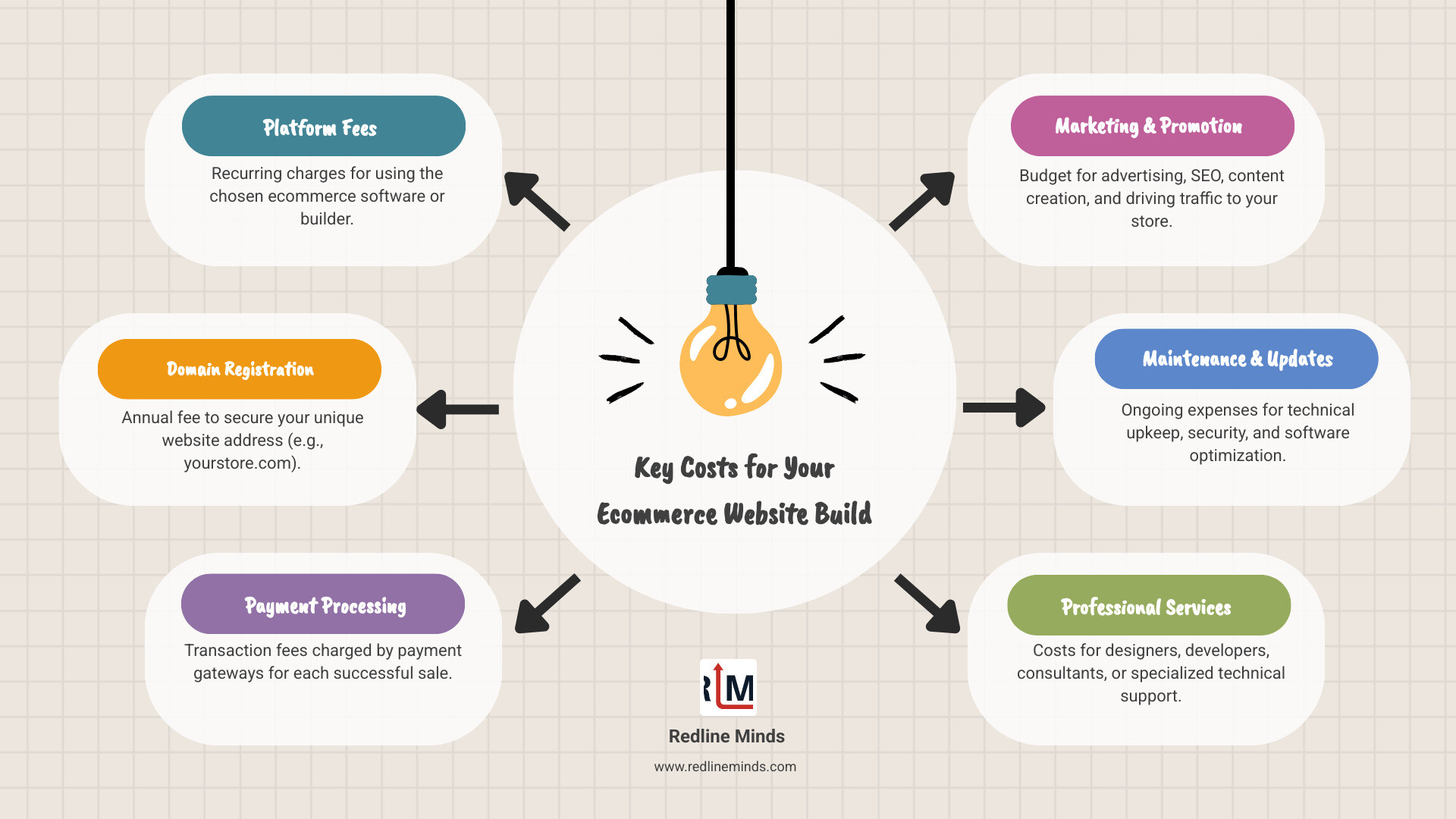
Typical costs can include:
- Platform fees: This is what you pay to use the ecommerce software itself. Some offer free plans with limited features, while paid plans open up more advanced tools, support, and scalability.
- Domain registration: Your website’s address (e.g., yourstore.com). This is usually an annual fee.
- Payment processing fees: A small percentage or flat fee charged by payment gateways (like Stripe or PayPal) for each transaction. This is often the primary cost for “free” plans once you start selling.
- Marketing budget: Getting the word out about your amazing products isn’t free. This includes costs for advertising, content creation, and SEO efforts.
- Maintenance costs: While SaaS platforms handle much of the technical upkeep, you might invest in apps, themes, or professional services for ongoing optimization and updates.
Understanding these categories helps you plan for sustainable growth.
Choosing the Right Ecommerce Platform
Selecting the right platform is like choosing the perfect vehicle for a road trip – it needs to fit your journey. We advocate for solutions that empower you to focus on your business, not on managing complex technical infrastructure.
There are a few main types of ecommerce platforms:
- SaaS (Software as a Service) Platforms: These are cloud-based, hosted solutions where the provider manages the software, hosting, and security. You pay a subscription fee and get an all-in-one package. This means you don’t need to maintain the software yourself, allowing for faster development and seamless integration with other systems. We often recommend these due to their ease of use, scalability, and robust support.
- Open-source Platforms: These platforms offer more flexibility and control, as the source code is freely available. However, they require more technical expertise for hosting, maintenance, security, and updates. Think of it as building your own car from scratch – immense control, but a lot of work.
- Headless Commerce: This is an advanced approach where the frontend (what customers see) is decoupled from the backend (where your products, data, and logic reside). This offers ultimate flexibility for custom user experiences but typically requires significant development resources. It’s like having a custom-built car body on a high-performance engine.
For a deeper dive into these options, you can explore SaaS, on-premise and hosted platforms explained.
When choosing, consider these essential features:
- User-friendly interface: Can you easily add products, manage orders, and customize your store without coding?
- Secure payment processing: The platform should support various payment gateways and ensure PCI DSS compliance (more on this later!).
- Mobile-responsive design: Your store must look fantastic and function flawlessly on all devices, from desktops to smartphones.
- Inventory management: Tools to track products, variants, and stock levels in real-time.
- Shipping options: Flexibility to set up different shipping rates, zones, and integrations with carriers.
- SEO tools: Built-in features to help your products rank higher in search engine results.
- Analytics and reporting: Dashboards to monitor sales, traffic, and customer behavior.
- Scalability: Can the platform grow with you, handling increased traffic and product loads without breaking a sweat?
- Security: Robust measures to protect customer data and transactions.
Regarding “Free vs. Paid builders,” many platforms allow you to create ecommerce website for free, often with an unlimited free trial to build and set up your store. You typically only need to upgrade to a paid plan when you’re ready to start accepting payments. This “try before you buy” model is fantastic for getting started without upfront financial commitment. Paid plans generally offer more features, higher limits, custom domain names, and improved support.
How to Create an Ecommerce Website: A Step-by-Step Guide
Alright, now that we’ve got our blueprint, it’s time to roll up our sleeves and start building. This is where your vision truly comes to life!

Step 1: Design Your Storefront and Brand Experience
Your storefront is your digital handshake with customers. It needs to be inviting, intuitive, and reflective of your brand’s personality.
- Template selection: Most platforms offer an extensive library of free and customizable website templates. These are designed by professionals, giving you a beautiful starting point without needing design skills.
- Customization: Don’t just stick to the template’s default settings! Customize colors, fonts, image shapes, and layouts to match your brand identity. You can often use a drag-and-drop editor, making it incredibly easy to arrange elements.
- User Experience (UX): A great design is more than just pretty pictures; it’s about how easily customers can steer, find products, and complete a purchase. A clear navigation menu, intuitive product categories, and a simple checkout process are paramount.
- Mobile-first design: With so many shoppers browsing on their phones, ensuring your site is optimized for mobile is non-negotiable. Look for platforms that guarantee your site will look fantastic and function flawlessly on smaller screens.
- High-quality imagery: Visuals are king in ecommerce. Invest in professional product photography that showcases your items at their absolute best. Use large, impactful photos that highlight details. Some platforms even offer AI tools to remove backgrounds from product images, making your catalog look sharp and consistent.
For inspiration, we love seeing how others craft their online presence. Here are some inspiring ecommerce website design examples:
- Noonbrew (a great example of clear benefits and product carousels)
- The Webflow Merch Store (excellent product organization)
- L’intendance (beautiful use of neutral design)
- Minimalist Space Posters (stark, on-brand aesthetic)
- Twigs (gentle colors, inviting user experience)
- Wannabe (quirky design, unique navigation)
- Midwest Mutt Shop (minimalist, large images)
- Walden (calming visuals, intentional design)
- Berkshire Nerds (niche focus, simple yet effective)
These examples show that how you design your site is just as important as the products you’re selling. It’s about building a brand, not just a store.
Step 2: Add Products and Craft Compelling Content
Your products are the stars of the show, and their descriptions are their compelling monologues. This step is about showcasing them in their best light.
- Product photography: We can’t stress this enough – high-quality images are crucial. Clear, well-lit photos from multiple angles, lifestyle shots, and even 360-degree views can make a huge difference. Don’t forget to use an image compression tool to ensure your beautiful photos don’t slow down your website’s loading speed. A slow site is a missed sale!
- Writing product descriptions: This is where you tell your product’s story. Go beyond just features; describe the benefits, evoke emotions, and answer potential customer questions. AI can be a game-changer here, helping you generate on-brand starter copy for product descriptions quickly. This frees up your time to focus on other aspects of your business.
- Inventory management: Whether you have five products or five hundred, efficient inventory management is vital. Your platform should allow you to track stock levels in real-time, manage product variants (like different sizes or colors), and even sync inventory between online and in-person sales if you have a physical store.
- Product variants: If your product comes in different options (e.g., a shirt in S, M, L, XL, and various colors), make sure your platform supports adding these variants easily. This provides a comprehensive shopping experience for your customers.
- SEO for product pages: Beyond engaging descriptions, optimize your product titles, meta descriptions, and image alt text with relevant keywords. This helps search engines understand what your product is about, improving your visibility in search results. Many platforms offer built-in SEO tools and even AI SEO assistants to guide you.
Step 3: How to create an ecommerce website with seamless operations
Once your beautiful products are listed, it’s time to ensure the back-end operations are as smooth as silk. This is where the magic of converting browsers into buyers truly happens.
- Payment gateways: This is how you accept money online. Your ecommerce website needs to integrate with secure payment processors like Stripe, PayPal, or others that support various credit/debit cards, digital wallets (Apple Pay, Google Pay), and even “buy now, pay later” options. Look for platforms that offer a wide range of payment methods and ensure PCI DSS Level 1 compliance, the highest standard for handling payment card information. This protects both you and your customers.
- Shipping options: Flexible shipping is a must. You should be able to set up different shipping rates (flat rate, weight-based, real-time carrier rates), define shipping zones, and offer various delivery options like in-store pickup or local delivery. Integrating with shipping carriers allows for real-time rates and easy label printing.
- Tax compliance: Selling online means dealing with sales tax across different states and potentially countries. This can be a headache, but thankfully, there are solutions. Tools like Avalara can help automate sales tax calculation, ensuring your ecommerce website is compliant with tax laws in each relevant region. This saves you from tedious manual calculations and potential legal woes.
- Order fulfillment: Once an order comes in, you need a system to process it efficiently. This includes managing order statuses, printing packing slips, and notifying customers. A unified dashboard that shows all your orders in one place is invaluable.
- Inventory tracking: Beyond just adding products, continuous inventory tracking is crucial. This helps prevent overselling (selling something you don’t have in stock) and ensures you know when to reorder. Many platforms offer real-time inventory updates that sync across all your sales channels.
Step 4: The Power of AI in Modern Ecommerce
If you’re not leveraging AI in your ecommerce website, you’re leaving money on the table! AI isn’t just a buzzword; it’s a powerful assistant that can improve almost every aspect of your online store, from creation to customer experience.
- AI-generated product descriptions: As mentioned earlier, AI can revolutionize content creation. Feed it a few bullet points or an image, and it can generate engaging, SEO-friendly product descriptions in seconds. This ensures consistency, saves time, and can even improve your search engine rankings.
- Personalized product recommendations: AI algorithms can analyze customer browsing and purchase history to suggest related products or items they might like. This increases the average order value and provides a highly personalized shopping experience. Imagine a customer buying coffee, and AI instantly suggests a matching mug or a different blend they might enjoy.
- AI-powered customer service chatbots: For quick customer queries, AI chatbots can provide instant answers 24/7, freeing up your customer service team for more complex issues. They can guide customers through FAQs, order tracking, or even product selection, enhancing satisfaction and reducing response times.
- Marketing automation: AI can help automate and optimize your marketing efforts. This includes segmenting your audience for email campaigns, predicting the best times to send marketing messages, and even optimizing ad spend for better ROI.
- Predictive analytics: AI can analyze vast amounts of data to predict trends, forecast demand, and identify potential issues before they arise. This empowers you to make data-driven decisions about inventory, promotions, and overall business strategy.
Using AI can help you streamline your workflow, boost sales, and provide a superior experience for your customers. It’s like having a team of digital assistants working for you around the clock!
Launch and Grow: Marketing and Managing Your Store
You’ve built a beautiful, functional ecommerce website. Congratulations! But our journey doesn’t end there. Now, it’s time to open the doors, attract customers, and ensure your store runs like a well-oiled machine.
Driving Traffic: Effective Marketing and Promotion Strategies
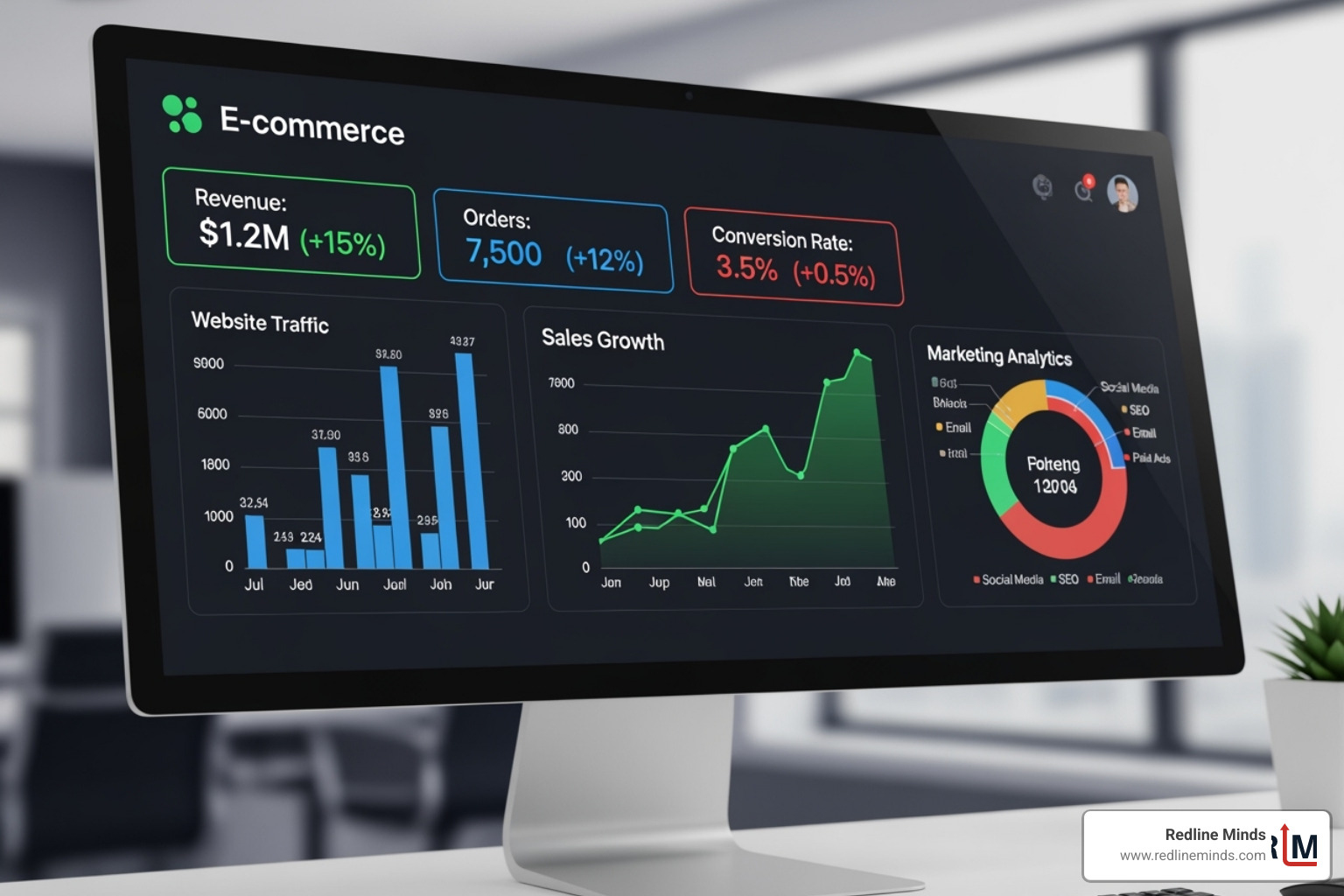
Building it is only half the battle; getting people to shop is the other half. Attracting new customers and retaining existing ones requires a multi-faceted approach.
- Search Engine Optimization (SEO): This is about making your store findable on Google and other search engines. It involves keyword research, optimizing product titles and descriptions, using relevant meta tags, and creating a blog with valuable content. A strong SEO strategy can lead to significant increases in organic traffic. We’ve seen stores using strong SEO tools achieve impressive increases in monthly revenue and organic traffic.
- Content marketing: Beyond product descriptions, a blog allows you to share expertise, tell your brand’s story, and engage potential customers. Think guides, how-tos, lifestyle articles, or even behind-the-scenes glimpses. This builds authority and attracts more visitors.
- Email marketing campaigns: Once you capture customer emails, nurture those leads! Automated emails for abandoned carts, welcome sequences, promotions, and loyalty programs can significantly increase revenue and customer retention. Stores using automated emails often see higher revenues.
- Social media integration: Your customers are already on social media, so your store should be too. Integrate your ecommerce website with platforms like Instagram, Facebook, and TikTok to showcase products, run ads, and engage directly with your audience. You can even enable direct selling from your social feeds. Websites using social media tools can see substantial revenue increases from these activities.
- Paid advertising (PPC): For immediate visibility, consider paid ads on Google, social media, or other platforms. These allow you to target specific demographics and drive traffic directly to your product pages or promotions.
- Influencer marketing: Partnering with relevant influencers can expose your products to a wider, engaged audience.
A holistic marketing suite is essential. Many platforms offer built-in tools for SEO, email marketing, and social media integration, providing a unified dashboard for all your promotional efforts.
Best Practices for Day-to-Day Management
Running an ecommerce business is a continuous process of nurturing and optimizing.
- Inventory management: Keep your inventory accurate and synced across all sales channels (online, in-person, marketplaces). This prevents overselling and helps with efficient reordering.
- Order processing: Streamline your workflow for fulfilling orders, from receiving the order to printing shipping labels and sending tracking information.
- Shipping and fulfillment: Offer clear and flexible shipping options. Consider automated solutions for printing labels and managing returns. A smooth shipping experience is crucial for customer satisfaction.
- Customer service best practices: Provide multiple channels for support, such as email, phone, and live chat. Research shows that 73% of customers say that a company valuing their time is the most important part of a good customer experience. Live chat tools, in particular, can help answer questions quickly and efficiently. A poor customer support experience can quickly turn customers away.
- Continuous improvement: Your ecommerce website is not static. Regularly review your analytics, gather customer feedback, and identify areas for improvement in design, product offerings, and user experience.
Essential post-launch management tools often include:
- A centralized dashboard for order, inventory, and customer management.
- Integrated payment and shipping solutions.
- Customer relationship management (CRM) features.
- Analytics and reporting tools for insights into sales and traffic.
- Marketing automation tools.
Frequently Asked Questions about Ecommerce Websites
We get a lot of questions about building online stores, and we’re happy to share our insights.
What are the most essential features for an ecommerce website?
While every business is unique, some features are non-negotiable for any successful ecommerce website:
- Secure payments (PCI compliance): Absolutely critical. Your customers need to trust that their financial information is safe. Look for platforms that handle this for you.
- Mobile-responsive design: Your site must look and function perfectly on any device.
- User-friendly navigation: Customers should easily find what they’re looking for without frustration.
- High-quality product displays: Clear images, detailed descriptions, and product variants.
- Streamlined checkout process: Minimal steps, clear calls-to-action, and multiple payment options to reduce cart abandonment.
- Customer accounts: Allows returning customers to track orders, save shipping info, and view past purchases.
- SEO tools: Built-in features to help your products rank higher in search engines.
- Analytics and reporting: Dashboards to monitor sales, traffic, and customer behavior.
- Customer support options: Easy ways for customers to get help (e.g., contact forms, FAQs, live chat).
How long does it take to build an online store?
The time it takes to create ecommerce website varies widely, much like asking how long it takes to build a house!
- Builder platforms (DIY): If you’re using a user-friendly website builder and have your products and content ready, you can get a basic online store up and running in a matter of hours or days. Some AI-powered builders even claim to generate a site in minutes, ready for your customization.
- Custom development: For highly unique designs, complex integrations, or specific functionalities, a custom-built ecommerce website can take weeks or even months of development time.
Key factors influencing the timeline include:
- Product catalog size: More products mean more time for photography, descriptions, and data entry.
- Customization level: How much do you want to deviate from a template? Extensive custom design takes longer.
- Your preparedness: Do you have all your product images, descriptions, branding assets, and business details organized?
- Technical skill: While builders are no-code, some advanced customizations might benefit from a little technical know-how.
Many platforms allow you to start building for free and take your time setting things up, only launching when you’re ready.
How can I make my ecommerce website secure?
Security is paramount. You’re handling sensitive customer data, and a breach can be devastating for your business and reputation.
- SSL certificates: This is foundational. An SSL (Secure Sockets Layer) certificate encrypts data passed between your website and your customers’ browsers, protecting information like credit card numbers and personal details. Look for platforms that provide free SSL as standard.
- Secure payment gateways: Always use reputable payment processors that are PCI DSS compliant. These services handle the sensitive financial data, reducing your liability.
- Fraud protection software: Implement tools that detect and prevent fraudulent transactions. More revenue is lost to the fear of fraud than to fraud itself, as businesses often turn down legitimate orders due to limited data. Fraud protection builds customer trust.
- Regular software updates: If you’re on an open-source platform, ensure all your software, plugins, and themes are regularly updated to patch security vulnerabilities. SaaS platforms handle this automatically for you.
- Data privacy compliance: Understand and comply with relevant data privacy regulations (like GDPR or CCPA) regarding how you collect, store, and use customer data. Have clear privacy policies in place.
Your platform provider plays a huge role in website security, so choose one with a strong track record and robust infrastructure.
Your Partner in Ecommerce Success
The journey of building a successful online store requires a solid strategy and expert execution. At Redline Minds, we understand that to create ecommerce website is to build a foundation for your business’s future. It’s about combining stunning design with seamless functionality, all while keeping your unique business goals in sharp focus. From initial planning and platform selection to ongoing optimization and marketing, we’re here to help you steer every step. Redline Minds can help you steer the complexities of ecommerce website design to build a platform that not only looks great but drives sales.